Where serious fiction writers build their universes.
Built for series writers, anthology authors, and shared-universe builders. Not just one-book-at-a-time novelists.
Your story bible is the part everyone skips and regrets later, usually around chapter eighteen when nobody can remember what color the antagonist's eyes were supposed to be. PlotForge gives you somewhere to put all of it. Cast sheets, factions, magic systems, the relationships and timelines that connect them. Search later, write now. AI is there if you want it.
Free forever. No credit card. Your first story bible, with full character and worldbuilding tools. 8,000 AI words included if you want them.
Secure Stripe Billing
Transactions are processed via Stripe with PCI-DSS Level 1 compliance.
Private Cloud Workspace
All projects live inside your account with encrypted, role-based access.
Risk-Free Trial
Build a full story bible (cast, world, relationships, continuity) without a credit card. AI is there if you want it. 8,000 words a month.

Click to view full size
How PlotForge Works
Most writing tools are project-based. One novel, finished, done. PlotForge is universe-based. You build the world once, then keep writing inside it for as long as you have stories to tell.
Build
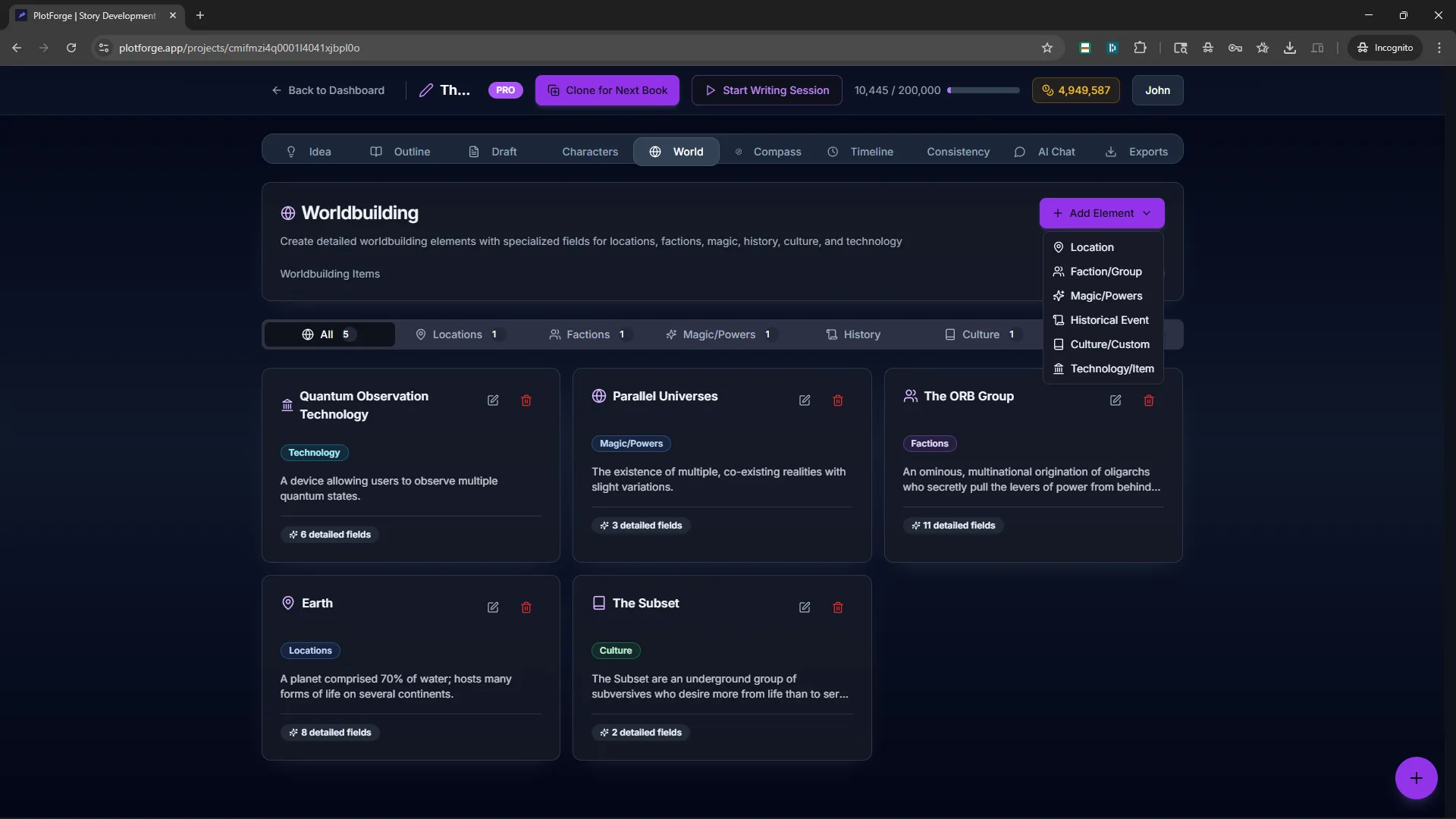
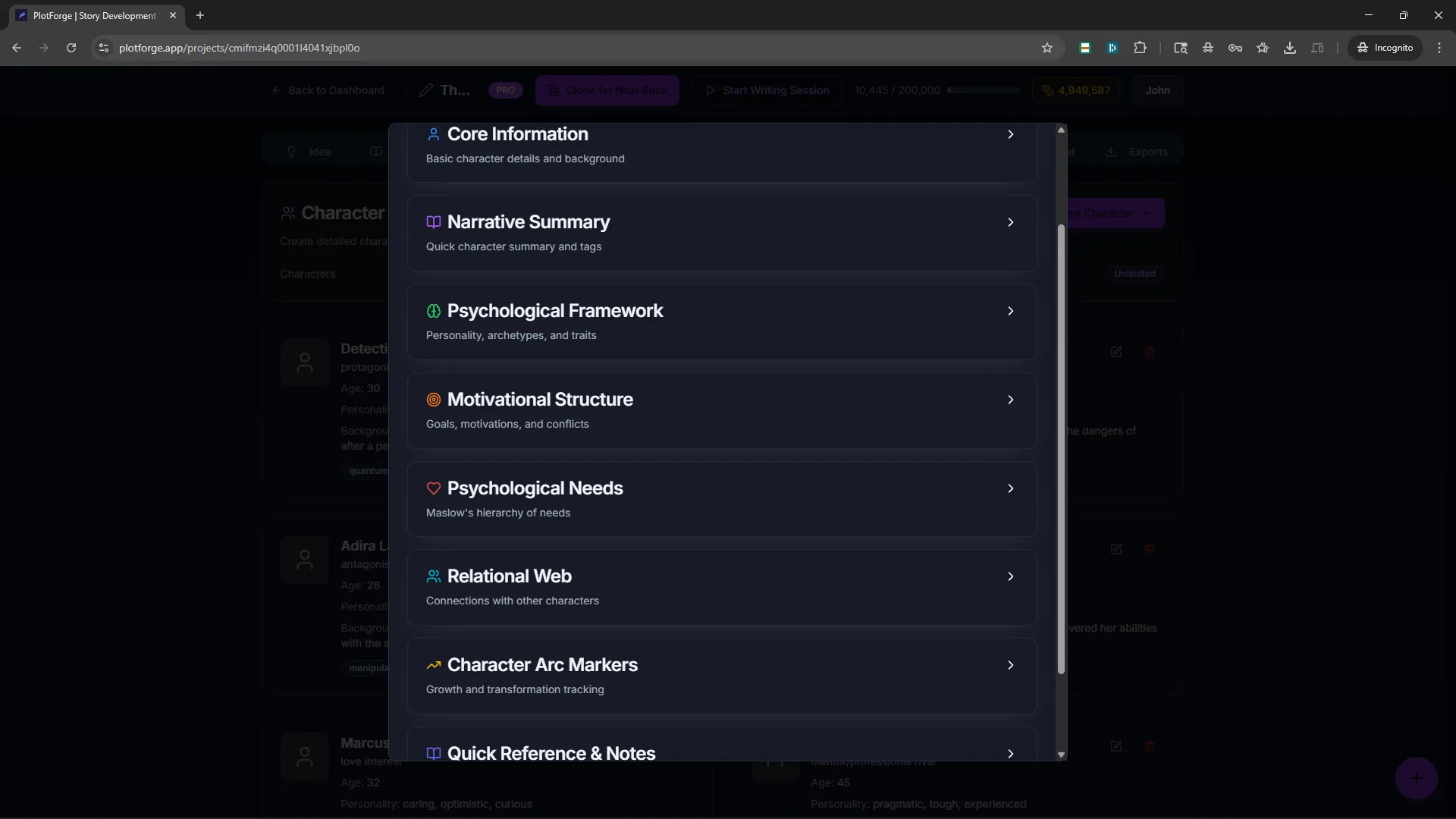
Develop your world and your cast first. Locations, factions, magic systems, history, character arcs, and the relationships that connect them. All in structured fields, not scattered notes. This is the foundation every story you write later draws from.
Write
Write the stories that live inside your universe. Chapter editor, scene-by-scene binder, optional AI assistance that knows your world and characters. One book, a series, or an anthology, all drawing from the same story bible.
Maintain
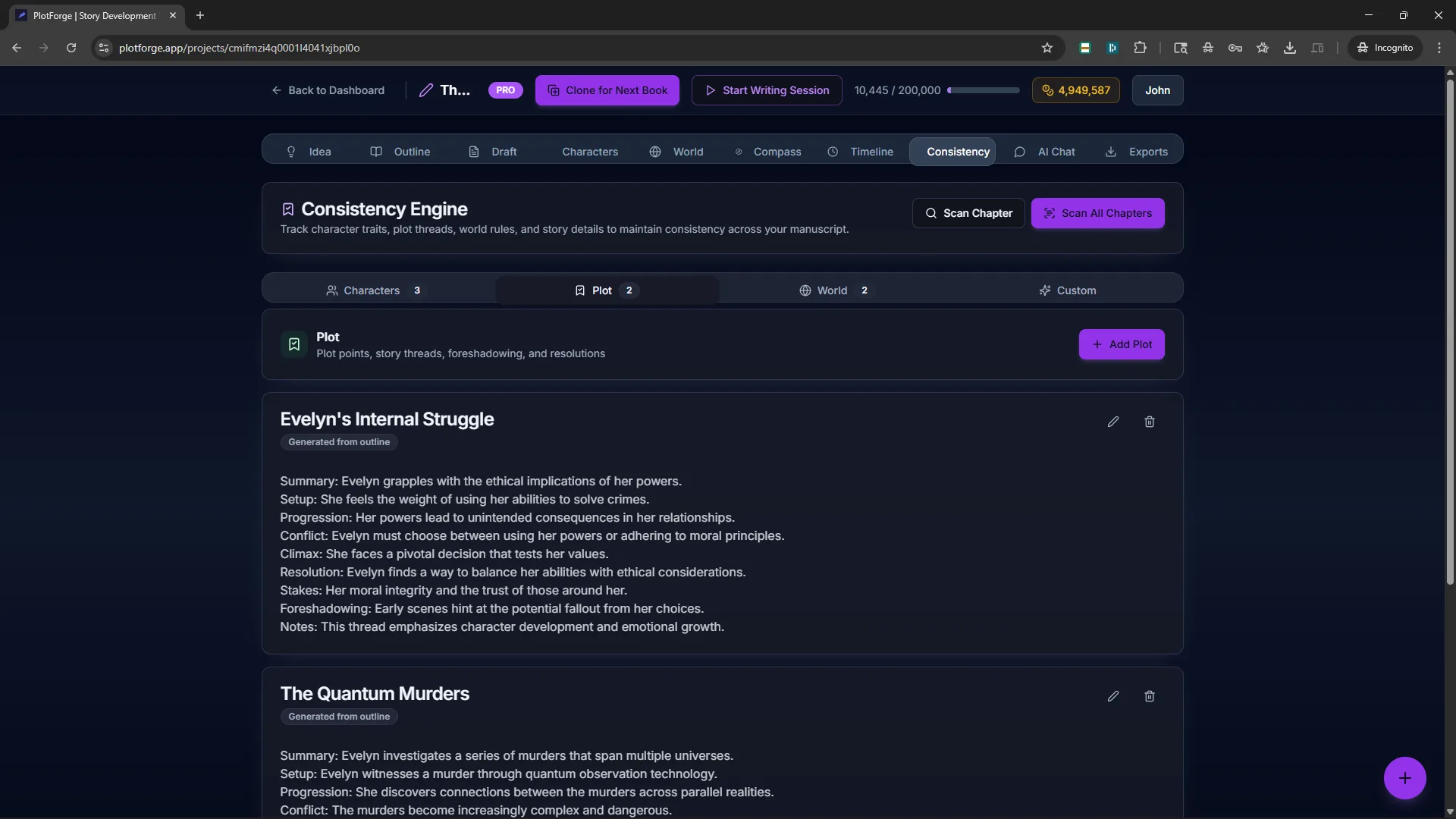
Keep continuity airtight as your universe grows. Consistency scanner flags contradictions across chapters and books. Clone projects to start the next story without rebuilding your world from scratch. Your bible compounds with every book you finish.
All three phases happen in one unified workspace, and your work compounds, book over book.
- No scattered documents
- Automatic saving
- Access anywhere
Prefer to work offline?
PlotForge Desktop stores everything on your machine with private AI through Ollama or LM Studio. Chat with your characters, map timelines, import custom fonts. One-time $79 purchase, no subscription.
Learn MoreStep zero: start with your premise.
The first thing PlotForge asks you to do is write down what your story is actually about, in detail. We added that step because the projects that get finished are almost always the ones with a substantive premise written on day one. The empty-premise projects rarely come back.
Everything you need in one place
Stop juggling four different apps for outlining, worldbuilding, continuity, and timeline. PlotForge keeps every surface of your story bible connected, across every book and every series.
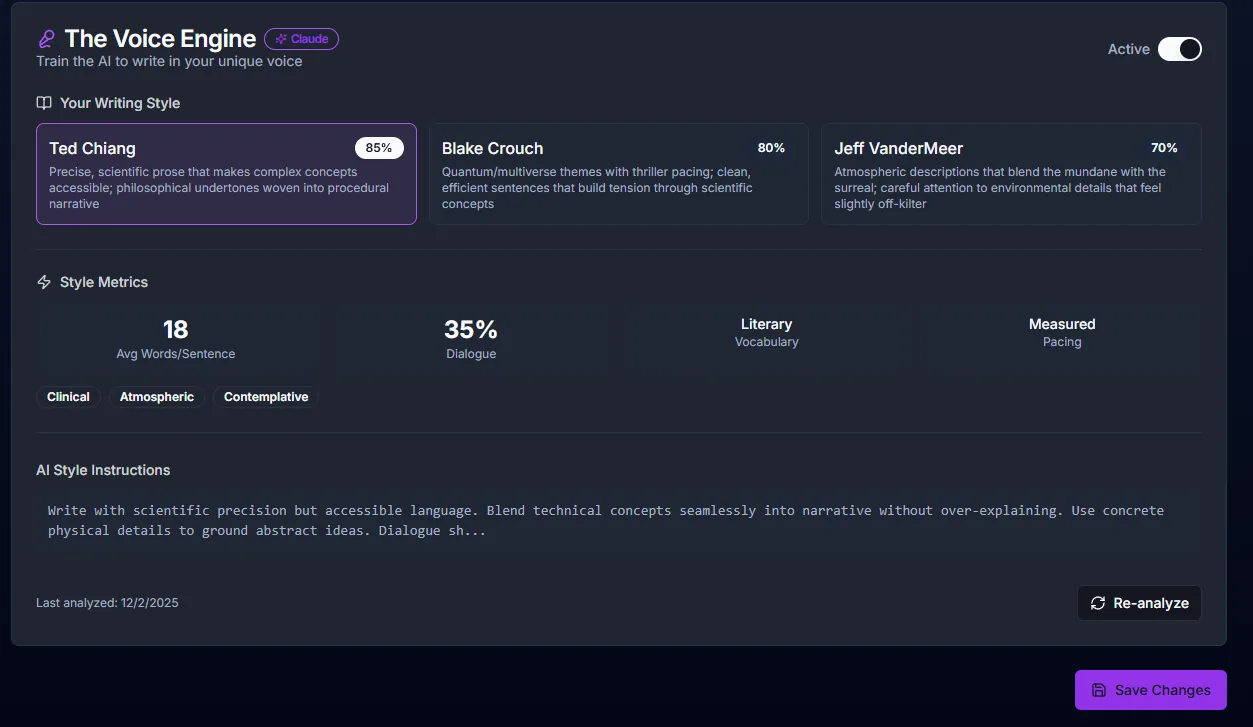
The Voice Engine: AI that writes like you
Upload your writing samples, discover your unique style, and generate prose that sounds authentically like you with voice-matched AI.
- Ted Chiang
- 85%
- Blake Crouch
- 80%
- Jeff VanderMeer
- 70%
Your writing DNA: See which authors you write like, then let AI match your unique voice in all generated prose.
See PlotForge in action
Try our demo project, “Starfall Odyssey.” A complete sci-fi story with generated outline, chapters, and characters.
Board the ISS Lumen & Explore the Artifact
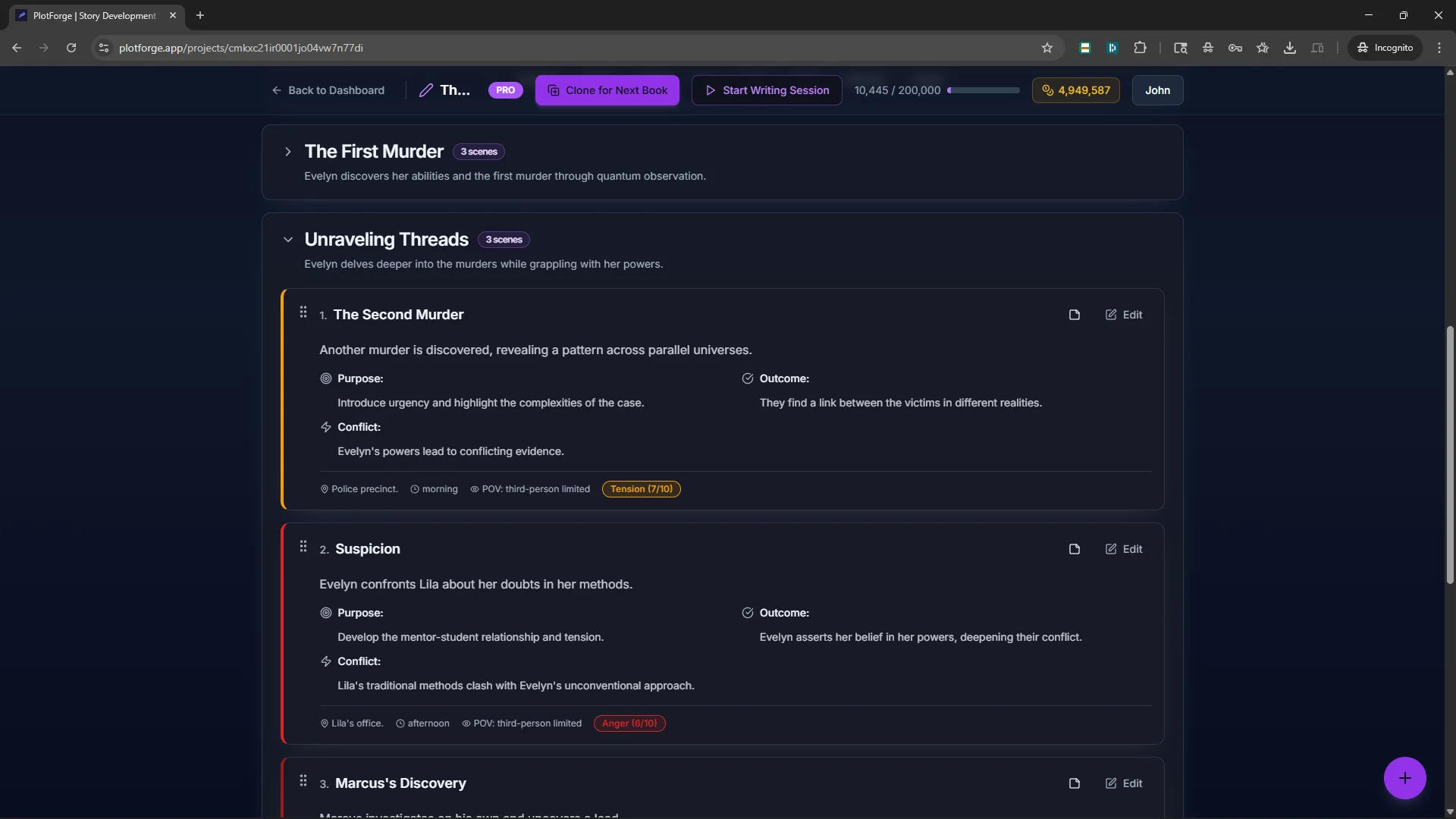
Walk through a complete PlotForge workspace showcasing professional story organization. Explore character relationships, detailed worldbuilding, cross-referenced scenes, timeline view, and consistency tracking. Every major feature, in one demo.
Professional scene planning with cross-references keeps every beat organized.
Character relationships, detailed worldbuilding, and timeline view show the full suite.
Consistency tracking and organization tools work with or without AI.
Mission Snapshot
- Acts Generated
- 2
- Chapters Written
- 2
- Characters Created
- 3
Campaign Timeline
- Outline Captain Vasquez’s mission briefing with act-level goals.
- Expand beats into draft-ready chapters with locked POV metadata.
- Run Scene Surgery to smooth tone shifts before exporting.
- Export continuity packets to share with editors or co-authors.
Frequently asked
Quick answers to what writers ask most before signing up.
Is PlotForge a web app or a desktop app?
Both. But they are two separate products, sold and used independently. PlotForge Web is a browser-based subscription service hosted in the cloud. PlotForge Desktop is a native app you install on Windows, macOS, or Linux, sold as a one-time purchase with local storage and local AI. Your account, data, and billing do not carry between them; you pick the one that fits how you want to work.
How does PlotForge compare to Scrivener?
Scrivener is a powerful binder-and-compile tool but has no native AI and stores information in isolated documents. PlotForge (either product) cross-references your characters, world, and scenes so continuity is automatic, and offers optional AI tools that understand your story. PlotForge Desktop specifically imports Scrivener .scriv projects directly so you can switch without retyping anything.
Do PlotForge Web and Desktop work without AI?
Yes. In both products, every planning, worldbuilding, outlining, and drafting tool works fully without AI. AI features are optional and can be ignored entirely. Many PlotForge users never touch the AI side.
Is my manuscript private?
In PlotForge Web, manuscripts live in our cloud database, are not used to train public AI models, and staff access is tightly controlled. In PlotForge Desktop, nothing ever leaves your computer: your files live in a local SQLite database and AI runs locally via Ollama or LM Studio. If privacy is non-negotiable, Desktop is the product that matches that requirement.
How much does each product cost?
PlotForge Web is free to start with 8,000 AI words per month, then $12/mo Starter (50k words) and $24/mo Pro (200k words) as separate subscription tiers. PlotForge Desktop is a one-time $79 purchase. No subscription, no AI metering since it runs locally.
Can I import a Scrivener project?
Yes, but Scrivener .scriv import is a PlotForge Desktop feature, not a PlotForge Web feature. Desktop imports .scriv files directly, preserving chapters, scenes, and folder structure. If you are on Web, you would need to export your Scrivener project to another format and paste in manually.
Does PlotForge run offline?
PlotForge Desktop runs entirely offline once installed and licensed. No internet required for writing, editing, or AI generation (AI runs through local Ollama or LM Studio). PlotForge Web is a cloud product and requires an internet connection.
Ready to build your story world?
Used by writers building series, anthologies, and shared universes. Compare plans on our pricing page. Start free with a full story bible. No credit card required.
Start Your Story Bible